Withdraw Your CoinCola NGN Balance to a Bank
If your CoinCola Naira Wallet holds NGN after a Bitcoin or USDT P2P trade, check the available bank route, fee, and withdrawal conditions before confirming.

Why Withdraw with CoinCola?
Review the account, fee, and bank details before withdrawing NGN.
Check Processing Status
The arrival time can depend on CoinCola processing and the receiving bank. Track the withdrawal status in your account.
Eligible Bank Account
Choose an available bank account in your verified name and review the displayed details before confirming.
Transparent Fees
No hidden charges. See your exact withdrawal fee and the final amount that will hit your bank account before you click confirm.
Withdrawal Rules
Please ensure you follow these rules to avoid delays or failed transactions.
Identity Matching
Your receiving bank account name MUST match your verified name on CoinCola. Third-party withdrawals are strictly prohibited.
Minimum Amount
Check the current minimum displayed in your account and ensure your balance covers the service fee.
Flat Service Fee
A flat fee of 200.00 NGN is charged per withdrawal transaction, regardless of the amount.
Processing Time
Processing and bank network conditions affect the time until funds arrive. Check the status shown for your withdrawal.
How to Withdraw Naira
Follow these simple steps to move your funds to your local bank or wallet.
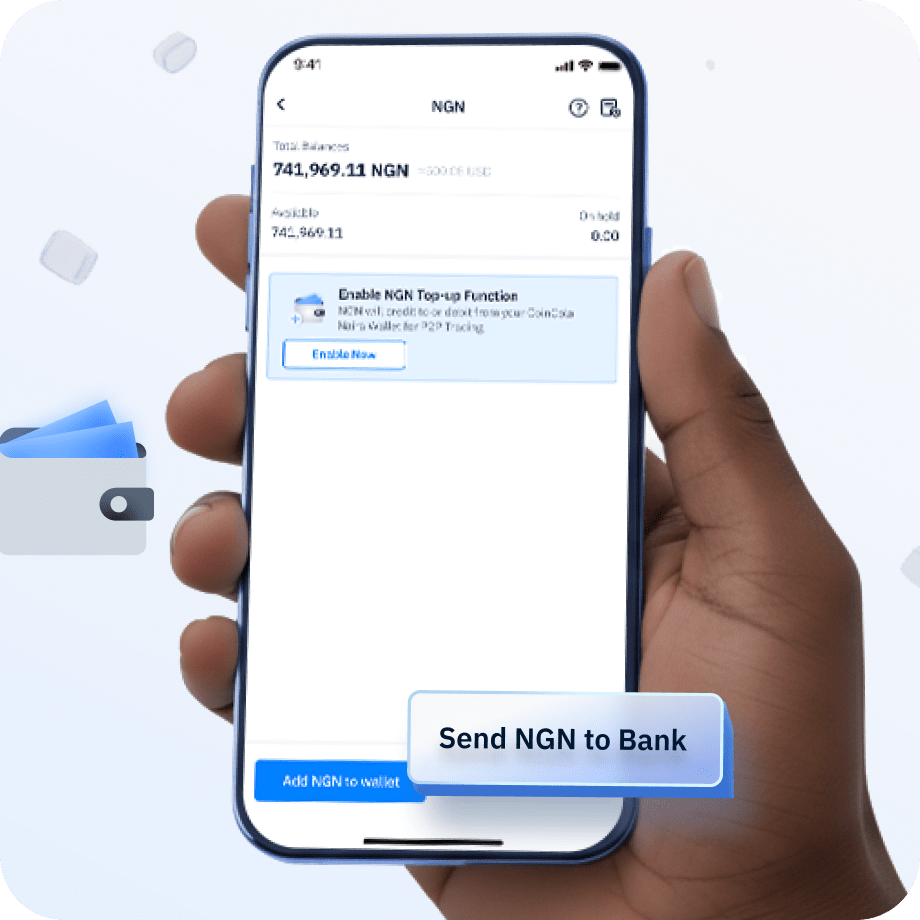
Go to Withdraw
Open your CoinCola Naira Wallet in the CoinCola App and click the 'Withdraw' button.
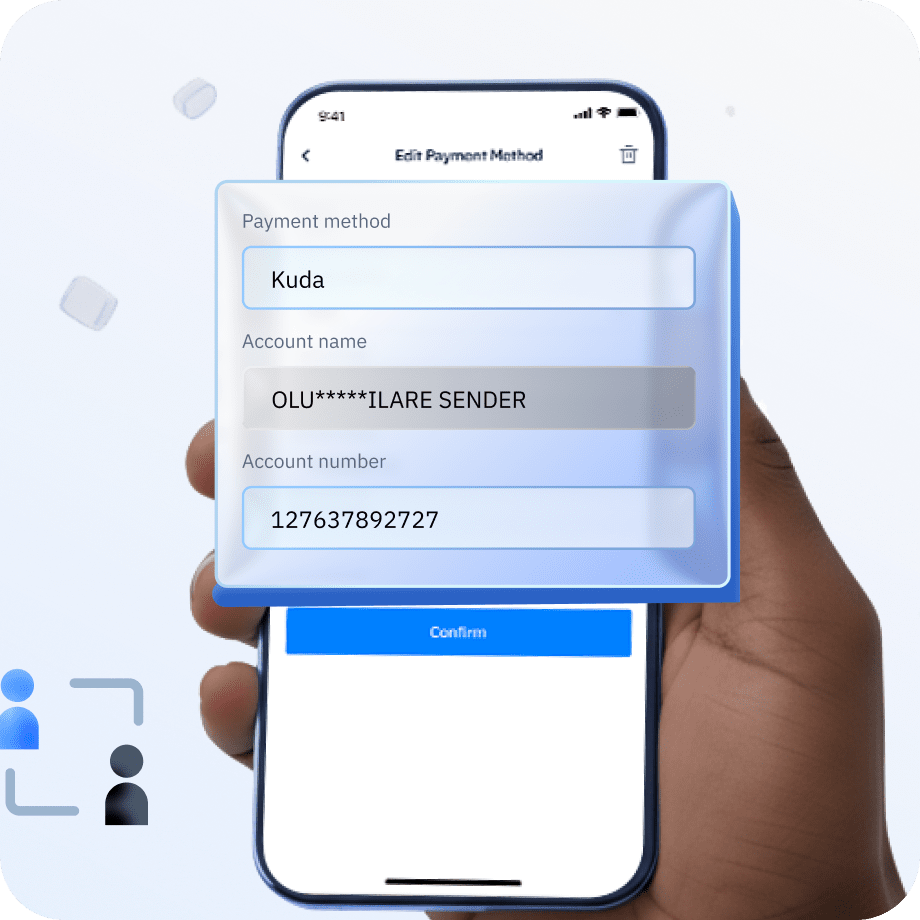
Add Receiving Method
Select 'Add New Receiving Method'. Choose your bank (Kuda, Zenith, etc.) and enter your account details.
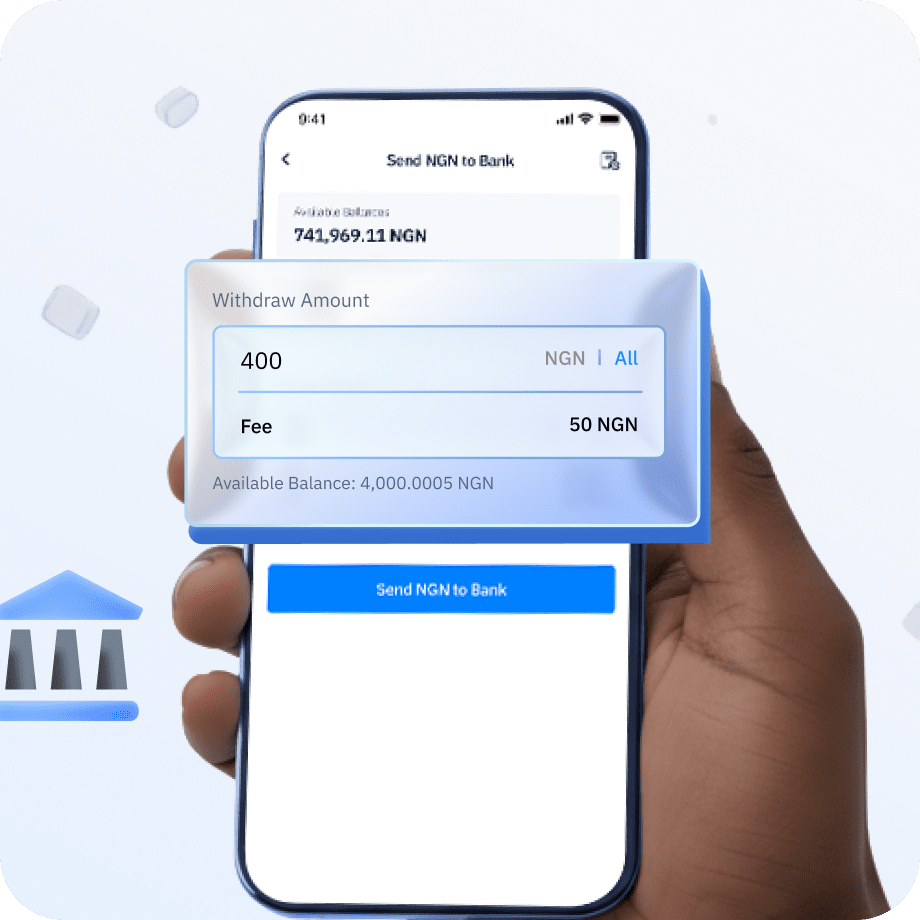
Enter Amount
Enter an amount that meets the minimum shown in your account. Review the displayed fee and final amount you receive.
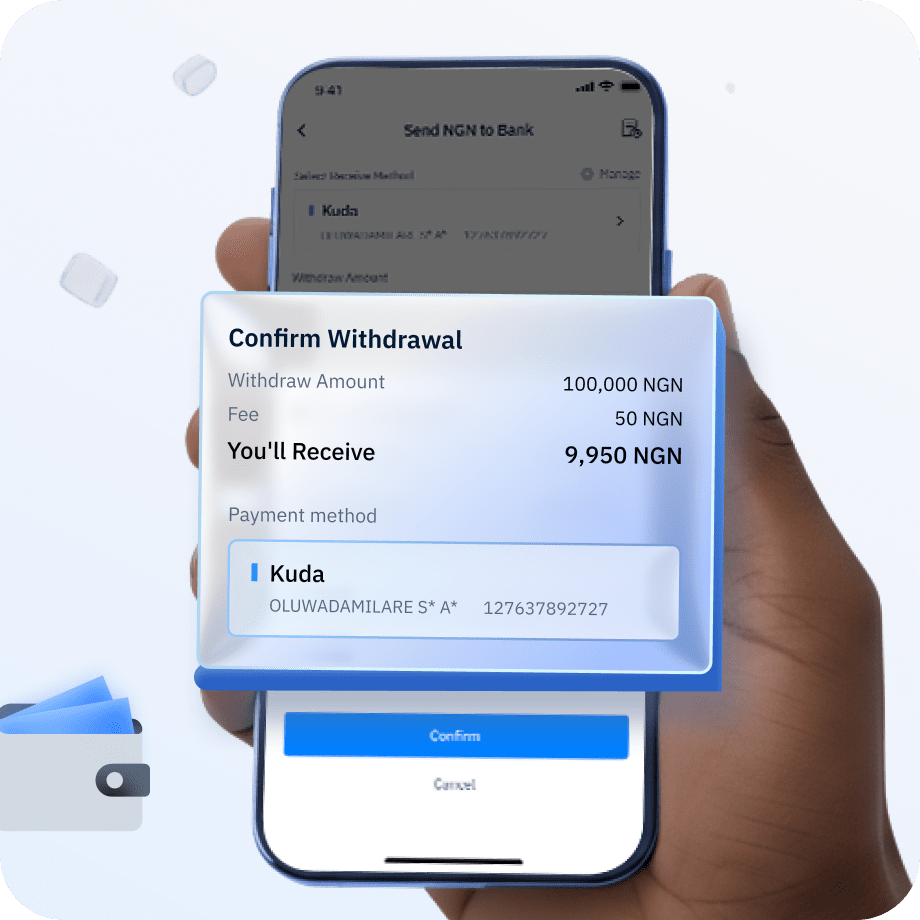
Confirm & Verify
Review your transaction details and complete the security verification to authorize the withdrawal.
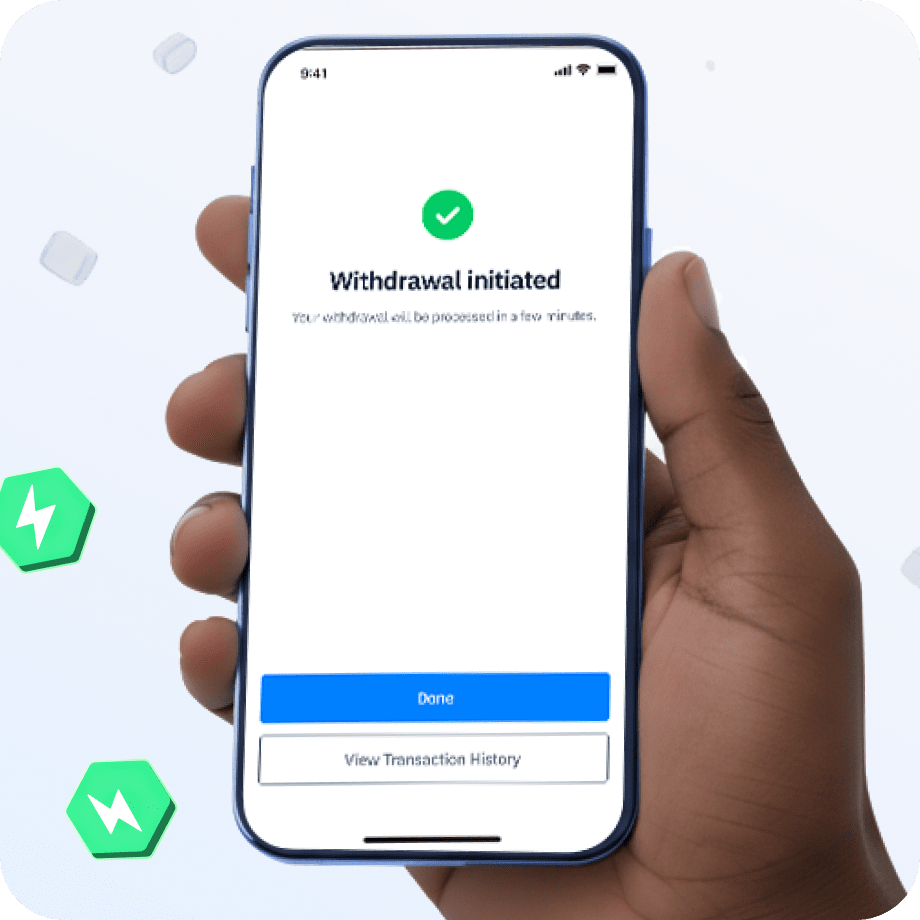
Funds Received
Track the withdrawal and confirm that the funds arrived in your bank account.
Frequently Asked Questions
Get quick answers to common withdrawal queries.
Open your CoinCola Naira Wallet, select Withdraw, and choose a bank account in your verified name. Enter the amount, review the displayed fee and final NGN payout, then complete the security verification. CoinCola's published fee schedule lists a flat 200 NGN withdrawal fee per transaction.
CoinCola NGN withdrawal feesNo. When a P2P buyer pays your agreed recipient directly, the recipient confirms NGN in their own account. This page covers withdrawing NGN already held in your CoinCola Naira Wallet to a bank account in your verified name.
Check the current minimum shown in the CoinCola withdrawal flow before entering an amount. Ensure your NGN balance also covers the displayed withdrawal fee.
Choose from the receiving banks currently available in your CoinCola withdrawal flow. The bank account must be in your verified name.
Check the withdrawal status in your CoinCola account. If the transfer is delayed, keep the transaction details and contact CoinCola support; bank processing times can vary.
No. For security reasons, you can only withdraw to a bank account that carries the same name as your verified CoinCola identity.
CoinCola charges a flat service fee of 200 NGN per withdrawal transaction, regardless of the amount. There are no hidden charges — you can see the exact fee and final payout before confirming.
Ready to Cash Out?
Review your NGN balance, bank details, and displayed fee before confirming a withdrawal.
Manage Your Naira Wallet On the Go
Deposit & Withdraw Naira Anytime — Download the CoinCola App
Use the CoinCola mobile app to manage your NGN wallet balance, deposit Naira, and withdraw instantly to any Nigerian bank account — all in one place.
Explore More Services
P2P Nigeria Hub
Overview of CoinCola Nigeria P2P trading
NGN Wallet Guide
Manage deposits, withdrawals & P2P trading
Deposit Naira Tutorial
Step-by-step guide to funding your account
Withdraw Naira Tutorial
Cash out profits to your bank account
Trading Fees
Check transparent P2P trading fees
Security & Trust
Escrow protection & KYC safeguards